عند تسجيل مكتبة جديدة، يتم تعيين حالتك في قائمة «مكتبتي» مبدئيًّا على «جديد». وستتغير الحالة إلى «نشط» بمجرد موافقة مدير المجتمع على تسجيلك. ولا يمكن سوى لمدير المكتبة تعديل معلومات المكتبة، والترقية إلى «ملف تعريف كامل»، وإضافة مشغلين جدد. أما جميع الأدوار الأخرى، فيمكنها الوصول إلى قائمة«مكتبتي»في وضع القراءة فقط.
للانتقال من حساب «المستعير فقط» إلى ملف تعريف كامل (المستعير والمكتبة المُقرضة)، انقر على «الترقية إلى ملف تعريف كامل».
لتعديل تفاصيل مكتبتك، انقر فوق «ملف تعريف المكتبة».
تتيح لك علامة التبويب «المشغلون» إدارة أذونات المشغلين، وإضافة المستخدمين أو حذفهم، وتتبع الدعوات النشطة.
أضف زملاءك كمشغلي مكتبة من خلال الانتقال إلى لوحة«دعوة مشغل»ضمن قائمة«مكتبتي».
| مستخدم مسجل سابقًا | مستخدم جديد |
| ابحث عنهم حسب الاسم الأخير أو البريد الإلكتروني، وقم بتعيين أذوناتهم، ثم أرسل الدعوة. | املأ النموذج بإدخال الاسم الأول واللقب وعنوان البريد الإلكتروني، وقم بتعيين أذوناتهم، ثم أرسل الدعوة. |
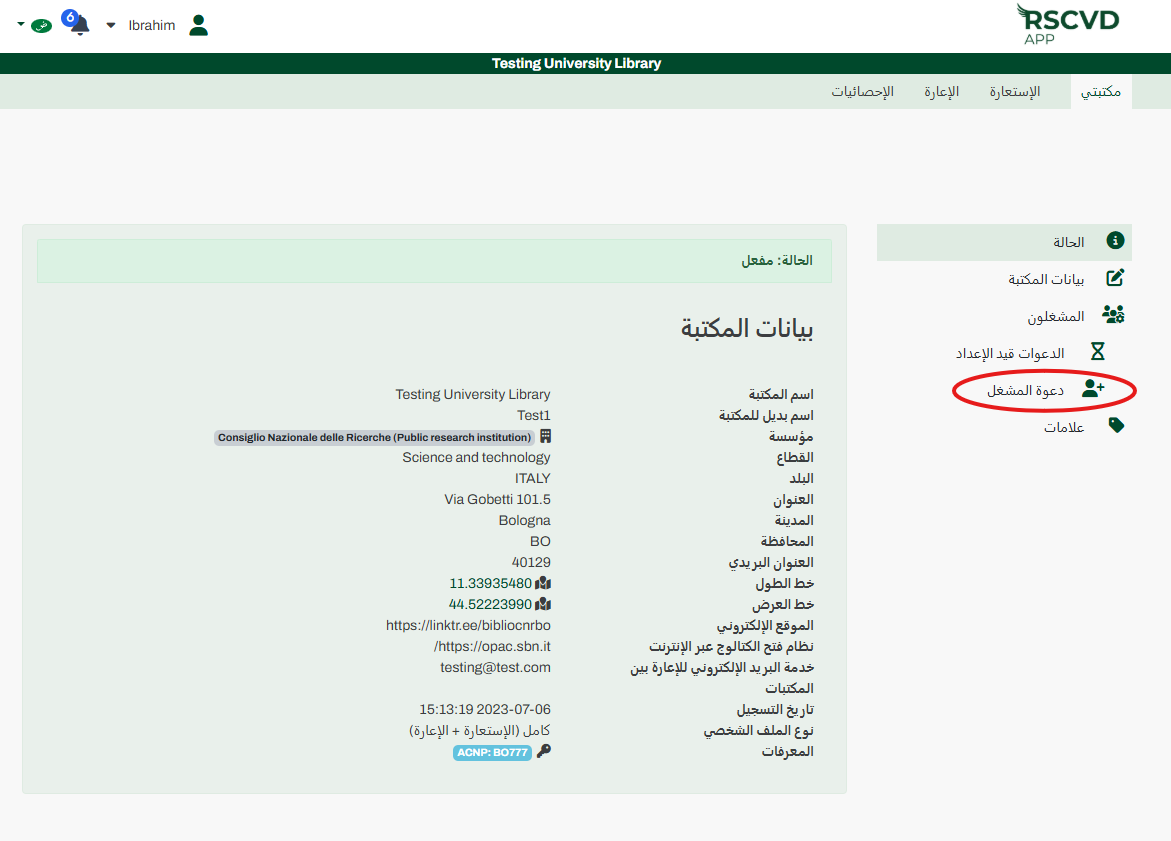
الشكل 10: دعوة المشغلين
يمكن للمدعوين قبول الطلب أو رفضه مباشرةً من لوحة التحكم الشخصية الخاصة بهم. يمكنك تتبع الطلبات المعلقة أو إلغاؤها في أي وقت من قائمة«الدعوات قيد المعالجة».
استخدم قائمة «العلامات» لإنشاء علامات مخصصة أو تحديثها أو إزالتها. يمكنك أيضًا إنشاء علامات جديدة مباشرةً من خلال قائمتي «الاستعارة» أو «الإعارة» أثناء إدارة الطلبات. قم بتطبيق هذه العلامات على طلباتك لتصفية قوائم «المعلقة» بسهولة.