To create a user account in TALARIA, follow this structured process designed for the Resource Sharing Management System:
First, go to your TALARIA homepage (e.g. for RSCVD Community, go to https://app.rscvd.ifla.org/ ) and click “Login/Signup.”
As a new user, you should choose “Signup” to start the registration process.
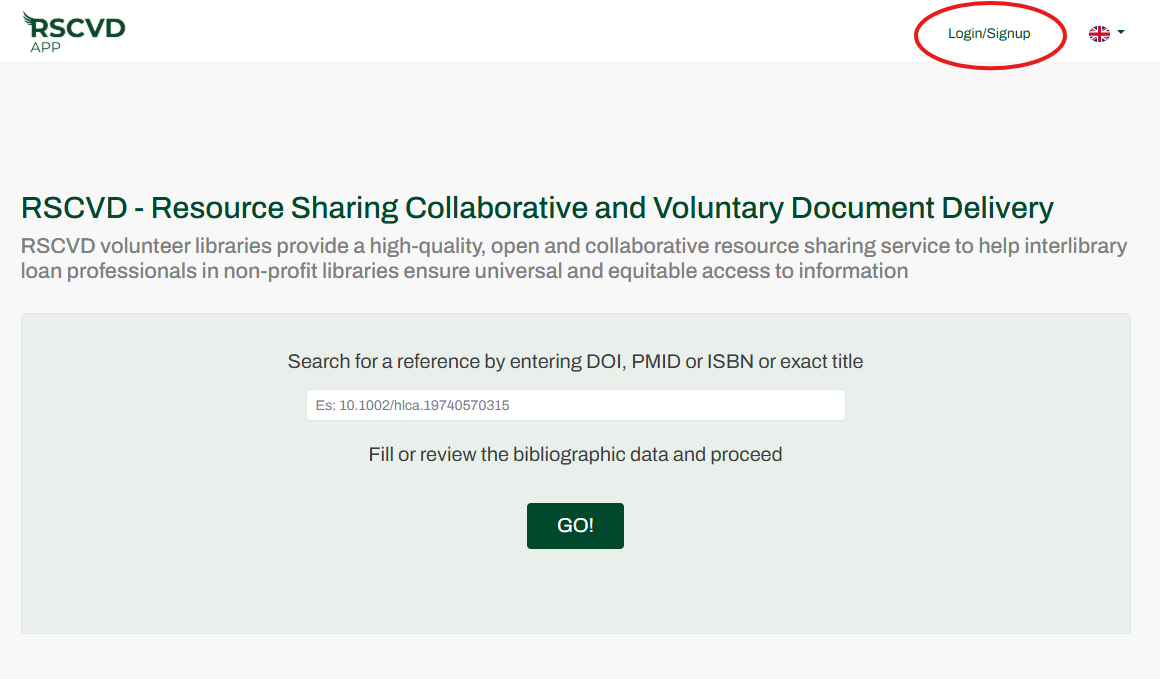
Figure 1: Login/Signup
Follow the system’s prompts to enter your required personal details. Enter your Name and Surname, your personal work email address (not a general library or the ILL service email), add a password, read and approve the privacy policy and click on “Create your profile.”
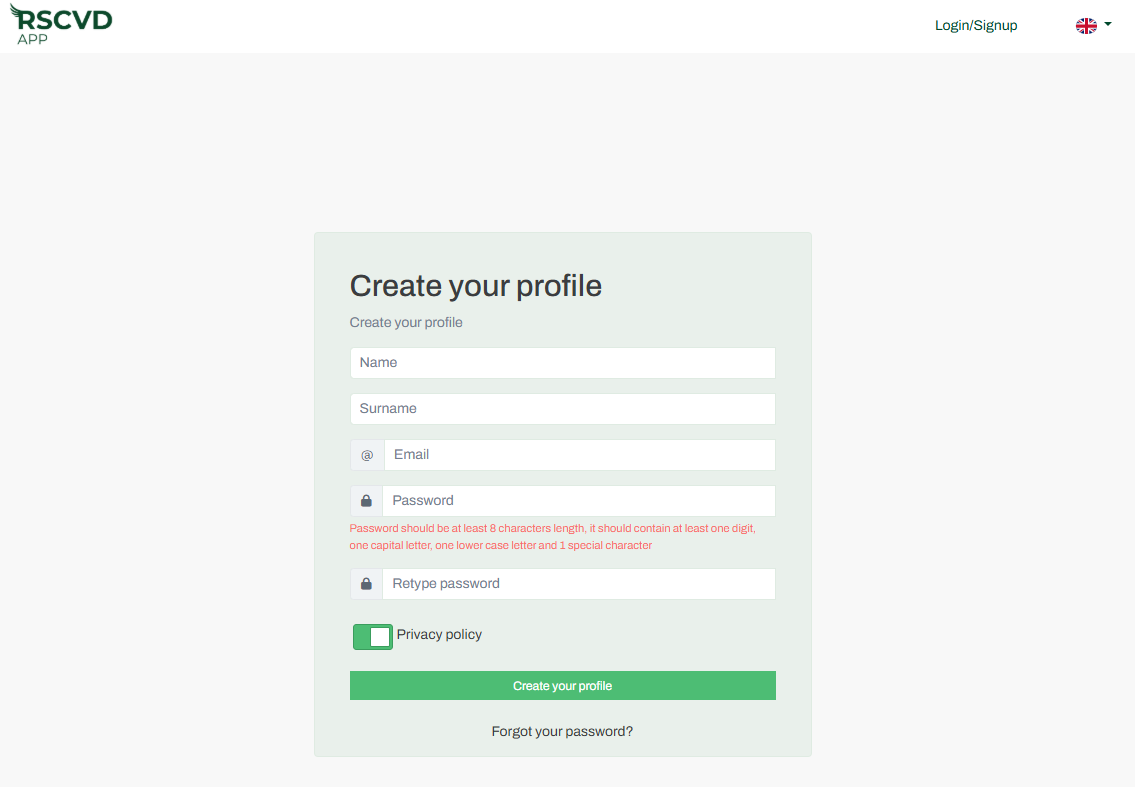
Figure 2: create your profile
The privacy policy ensures data handling is in compliance with the EU General Data Protection Regulation (GDPR).
Once your user account is created, you will be automatically directed to the landing page where you can access your dashboard, notification inbox, edit your user profile, and change your password.
As an administrator, you can register one or more libraries by clicking on “Register new library.”
After your account is active, you can proceed to set up your specific user profile, search for bibliographic references, or invite colleagues to join as Library Operators.
If you encounter issues during this process, the TALARIA Knowledge base provides specific troubleshooting guides for common scenarios such as password recovery or email delivery problems.