The Pending Requests section contains a list of all incoming requests received and taken over by your library.
Initial Actions on New Requests #
For each new pending request, you have two primary options:
- Accept the Request: Click the “I will supply” icon. The status will change from “Request received” to “Will supply,” allowing you to proceed with fulfillment.
- Decline the Request: If you cannot fulfill the request, you can decline it at this stage.
Once a request has been accepted, clicking the Proceed icon (forward arrow) opens the request details so you can complete the fulfillment process. You retain the ability to decline the request at any point prior to final fulfillment if unexpected issues arise.
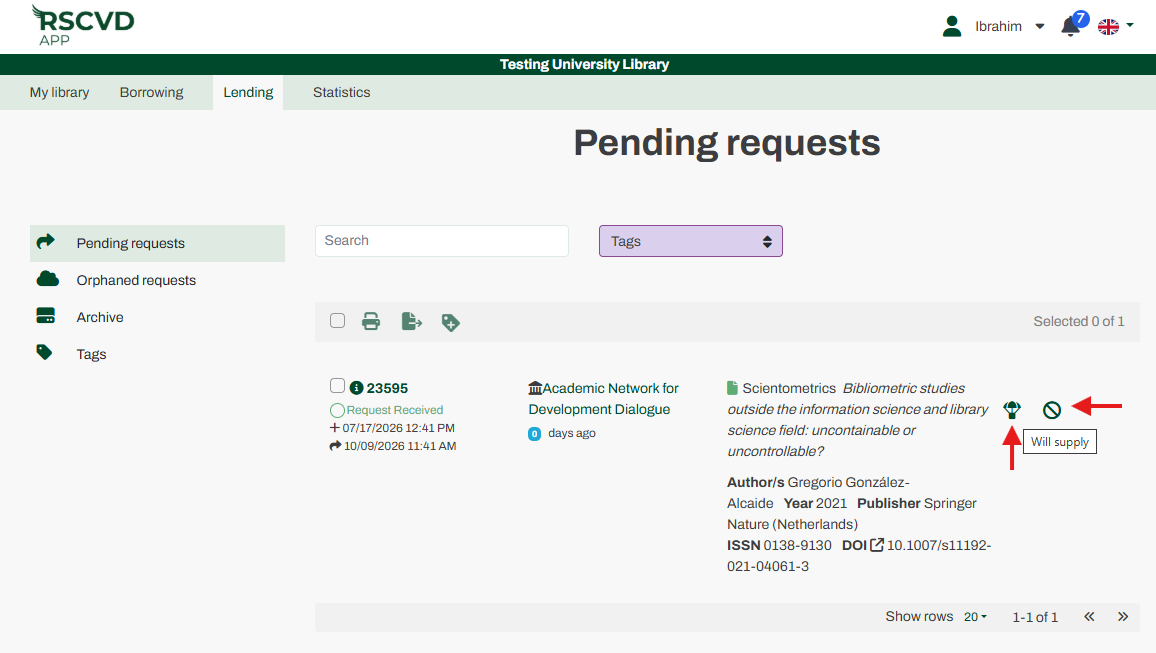
Figure 20: supply or cancel a lending request
The Fulfillment Process #
Clicking “Fulfill” expands a tab where you must select the appropriate delivery method. The available options include File, Mail, Fax, URL, Article Exchange (A.E.), and Other.
Electronic Delivery Methods #
- File: If you are providing an electronic document, select File, upload the document into the system, click “Upload file,” and then click “Submit” to send it to the borrowing library.
- URL: If you are providing a web-based resource, select URL and enter the direct link to the requested material.
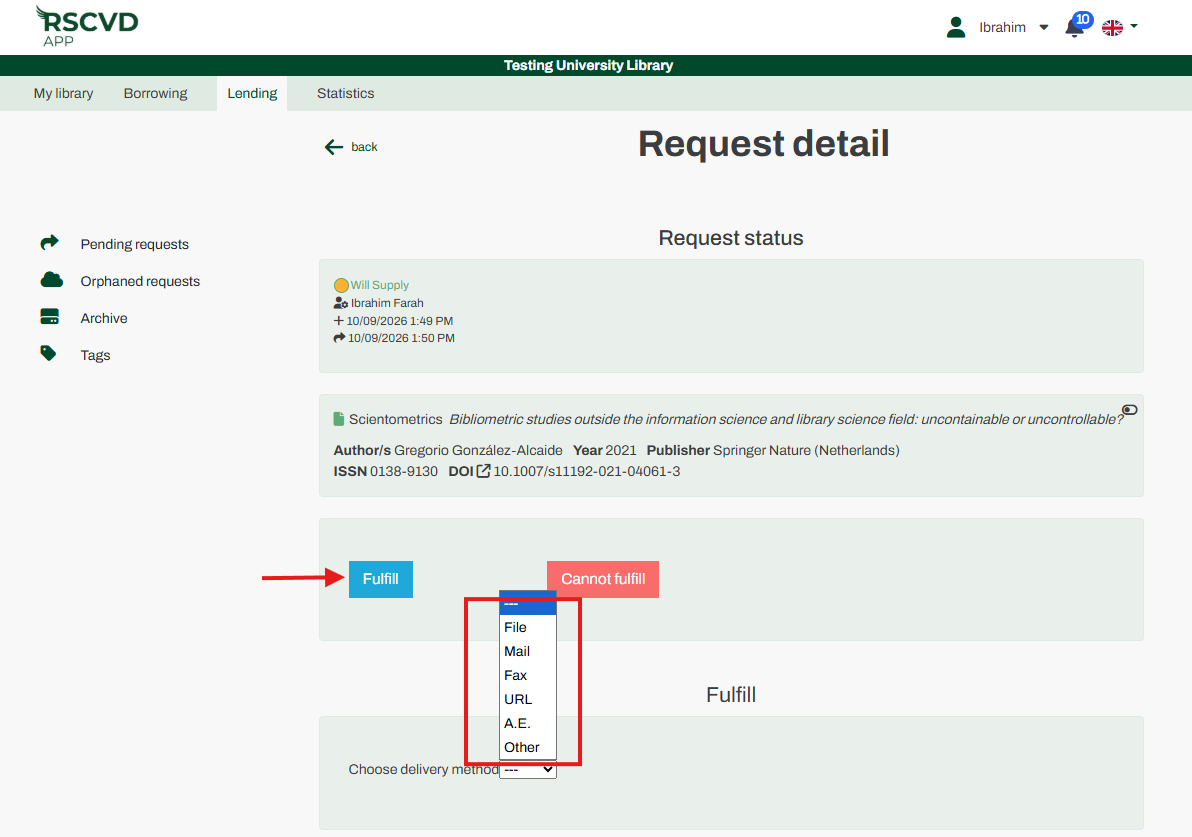
Figure 20: Fulfilling and sending a request
External Delivery Methods #
Methods such as Fax, Mail, and Article Exchange (A.E.) are processed outside of the direct platform workflow.
The Non-Fulfillment Process #
You can decline a request either while it is in the initial “Request received” status or after you have accepted it (“Will supply” status).
- Open the Request details.
- Click the “Cannot fulfill” button to display a menu of standard reasons.
- Select the applicable reason and submit your response.
Handling Cancellation Requests #
A borrowing library may request the cancellation of an item at any time. The system handles this based on your current processing status:
If Not Yet Accepted: If the lending status is still “Request received,” the cancellation executes immediately, and the item disappears from your pending requests list.
If Already Accepted: If the lending status is “Will supply,” the status changes to “Cancel requested.” As the lender, you then have two choices: Accept the cancellation request or proceed to fulfill and supply the document anyway.