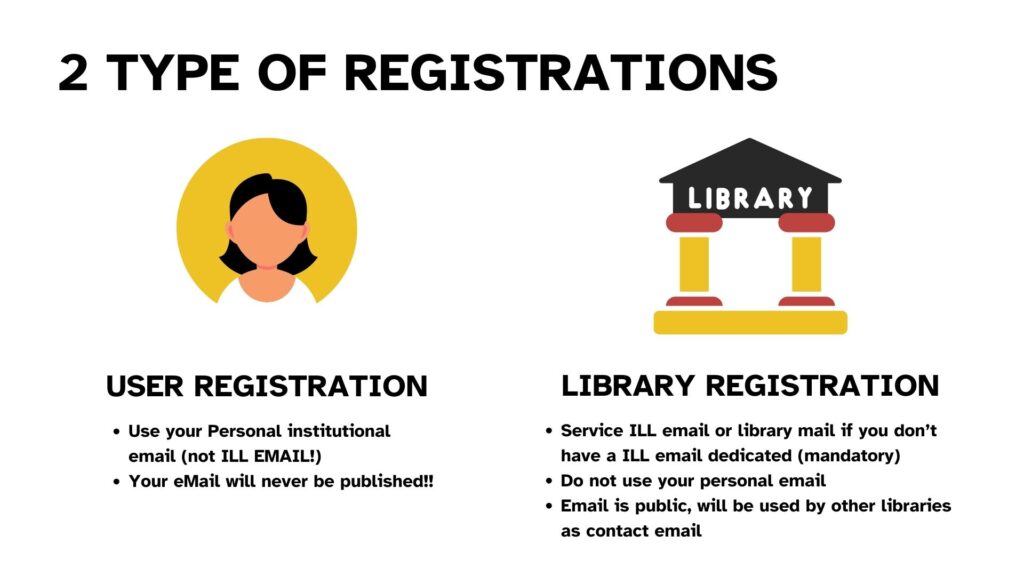
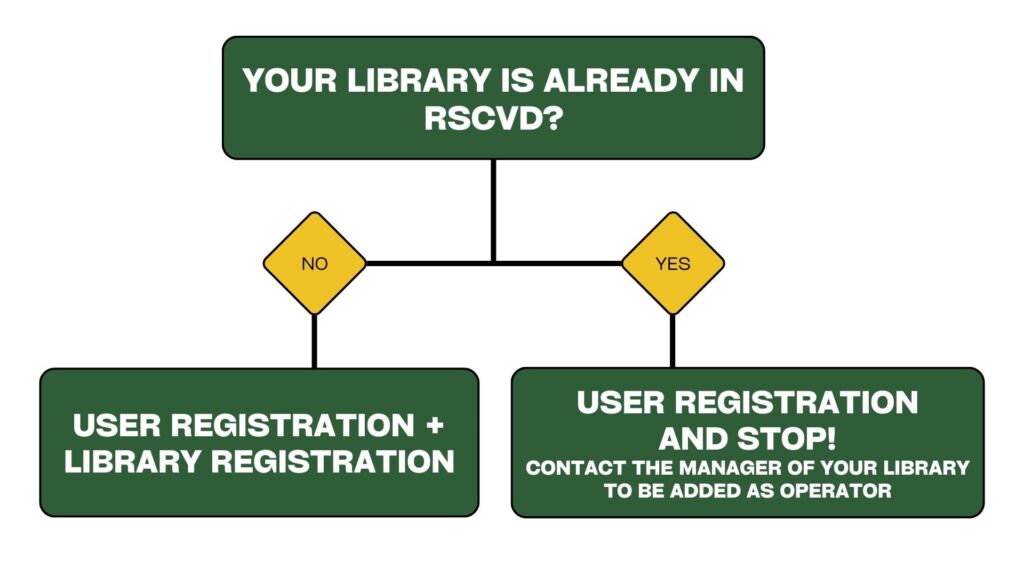
To register a library, click on “Register new library” button in the user dashboard. You will be redirected to the library registration page. The search option allows you to check if your library is already registered before you proceed.
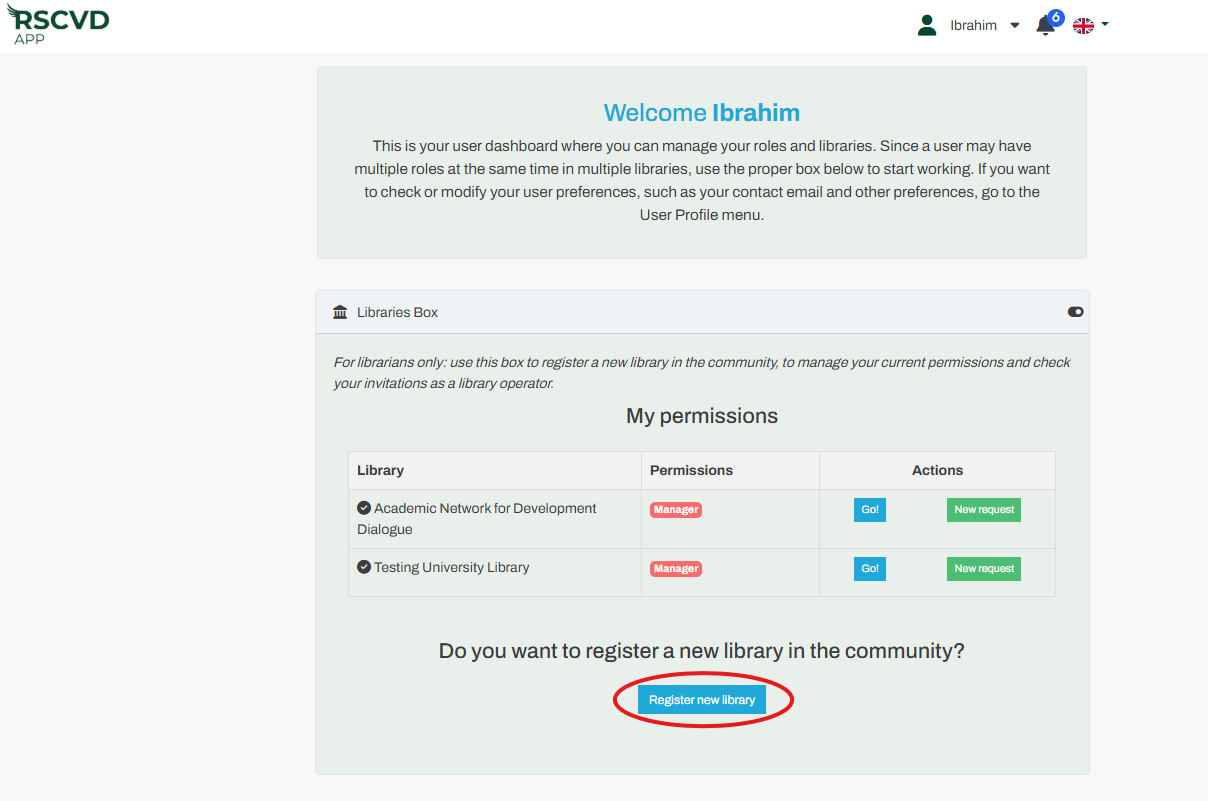
Figure 3: register your library
The application will ask for permission to share your location. If you are completing the registration on-site, allowing this access will automatically determine your library’s location for you.
Required Data: You must provide the library’s name, physical address, institution type, disciplinary sector, and official contact information.
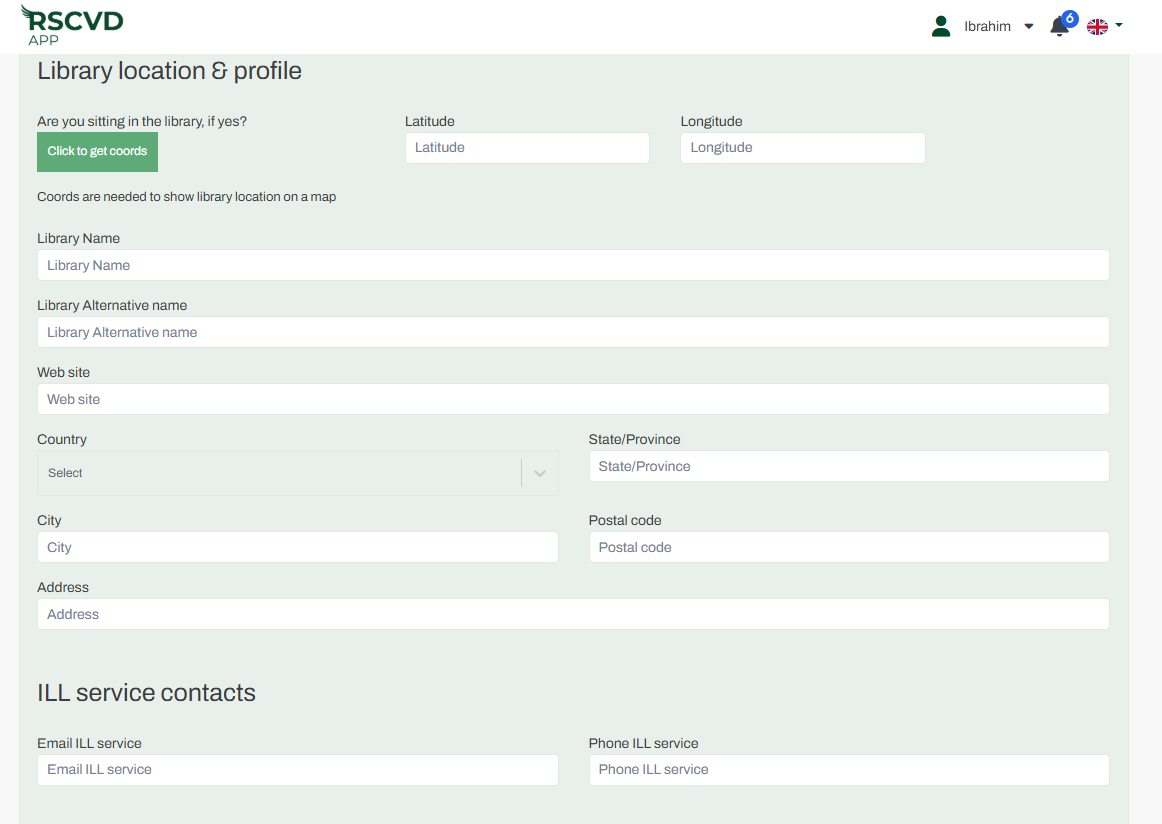
Figure 4: registration page
Profile Selection
| Full | Basic |
| The library may both borrow and lend (recommended). If your library is able to act as a borrowing and lending library, which we highly encourage, please select “Yes” under “Want to be a volunteer library?” | The library functions as a borrower only. If your library is located in a conflict zone or is otherwise unable to supply materials, please select “No”. After the library is approved, you can upgrade from a Basic Profile to a Full Profile at any time in the “My Library” menu. |
Approval: Once submitted, your registration must be reviewed and approved by the Community Manager before the library becomes active.
Steps to follow:
- Search your library name in the directory in case it was already registered.
- If not found, click on “Register new library.”
- Enter the library location by entering the exact latitude and longitude, or simply click on “Click to get coords.”
- Specify the library name. We suggest formatting this field as ‘Institution Name – Library Name’ to ensure the library is easily searchable for other users.
- Enter the alternative name for the library, such as an acronym, a translation, a common abbreviation, or the name by which it is most widely recognized.
- Enter the general email address designated for your Interlibrary Loan (ILL) service. This ensures that all official communication and request notifications are received by the appropriate team. In this section, your library will be linked to its belonging institution. This allows, in case there are more libraries belonging to the same institution, to provide useful statistics, to associate protocols and other useful properties which usually an institution (e.g., a university) provides to its own libraries (i.e., link resolver, negotiated e-licenses, etc.).
- Choose your institution’s headquarters country and name from the dropdown list; if your institution is missing, use the Suggest option to submit it for approval by the Community Manager.
- Provide your library’s unique identifier (OCLC, ACNP, SBN, ISIL, or GTBIB) to assist in accurate system indexing and retrieval. If your national library identifier is not present, write to TALARIA Support at talaria-help@area.bo.cnr.it
- Click on “Continue,” review your information, and submit.
- The Community Manager will verify your details and activate your library, enabling you to begin requesting items from other libraries.
Lending Participation: If your library is able to act as a borrowing and lending library—which we highly encourage—please select “Yes” under the “Want to be a volunteer library?”
Borrowing Only Participation: If your library is located in a conflict zone or is otherwise unable to supply materials, do not click “Yes”.